Custom portal home
Created a dedicated ServiceNow portal page with search, popular topics, category cards, quick links, office hours, and contact information.
Academic project · ServiceNow school lab
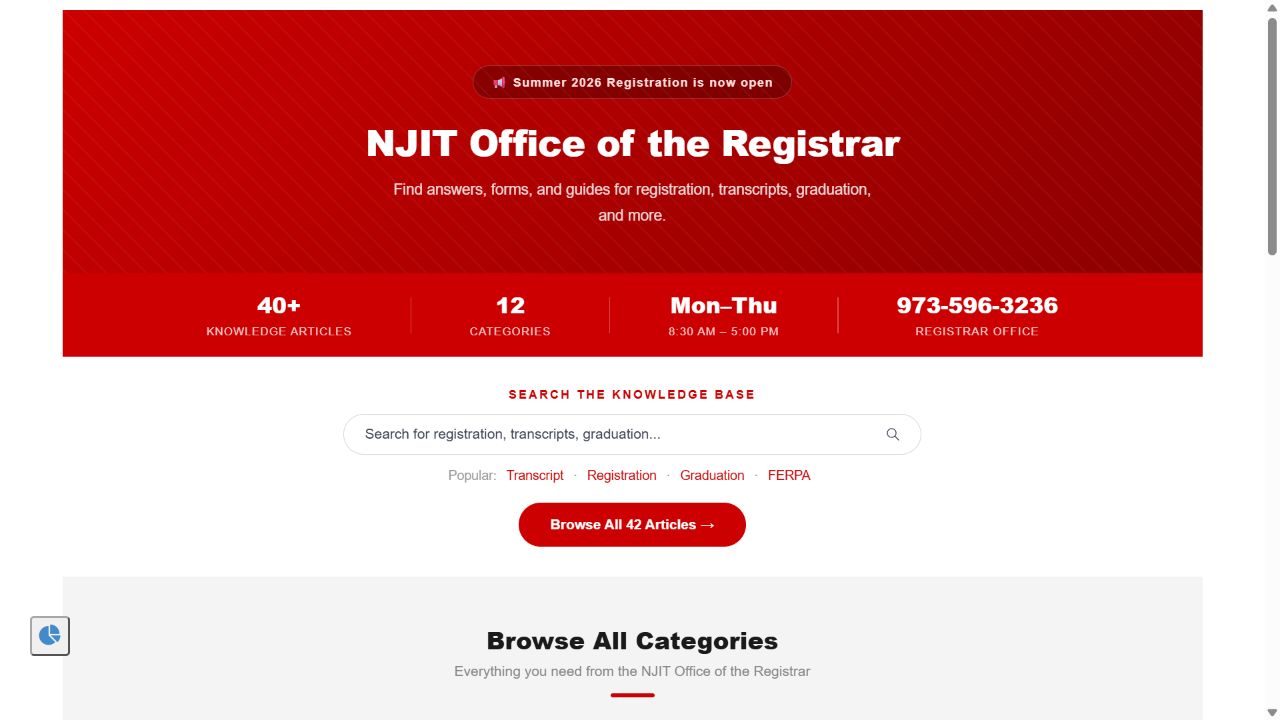
The portal offers search and topic browsing for registrar questions. The preserved lab screenshot shows the home page; a recreated article excerpt illustrates the revised registration guide.
The need
Registration, transcripts, graduation, privacy, and academic policies all involve different steps and deadlines. I organized the project around two navigation paths: search for an article or browse by topic.
I used clear category names, consistent article layouts, visible contact information, and ServiceNow version history to distinguish the published project version from the version marked outdated. The intended benefit was easier scanning for the relevant step or answer; no usability improvement was measured.
Project frame
The screenshot documents the portal home and search area. The project notes list the article categories.
Request forms, catalog items, and production deployment were outside this academic project.
The project does not include live usage data, search metrics, or student usability results.
Portal home page
I used ServiceNow's knowledge search widget alongside topic categories: someone with a specific question could search, while someone unfamiliar with the terminology could browse. Reusable HTML/CSS content blocks presented office and contact information.
The preserved screenshot documents the completed lab view.
What I built
Created a dedicated ServiceNow portal page with search, popular topics, category cards, quick links, office hours, and contact information.
Categories covered registration, transcripts, FERPA, graduation, policies, and withdrawals.
Used short overviews, preparation steps, numbered instructions, tables, common-error guidance, and contact details.
Used ServiceNow Knowledge Management to publish the revised project version and mark the previous version as outdated in the lab.
Example revision
This recreated excerpt shows the preparation checklist and common-error guidance from the project revision. The full guide also included numbered registration steps; those steps are not reproduced here.
Recreated excerptPortfolio presentation, not a ServiceNow screenshot
Preparation checks and common errors from the portfolio recreation. This is not a complete registration procedure or current NJIT guidance.
Time conflictSelect a different section.
Hold on accountContact the office listed on the hold.
Tools used
Contact
I'm open to business analysis, reporting, operations, and business systems opportunities.